
✔ Fact-checked. For informational purposes only.
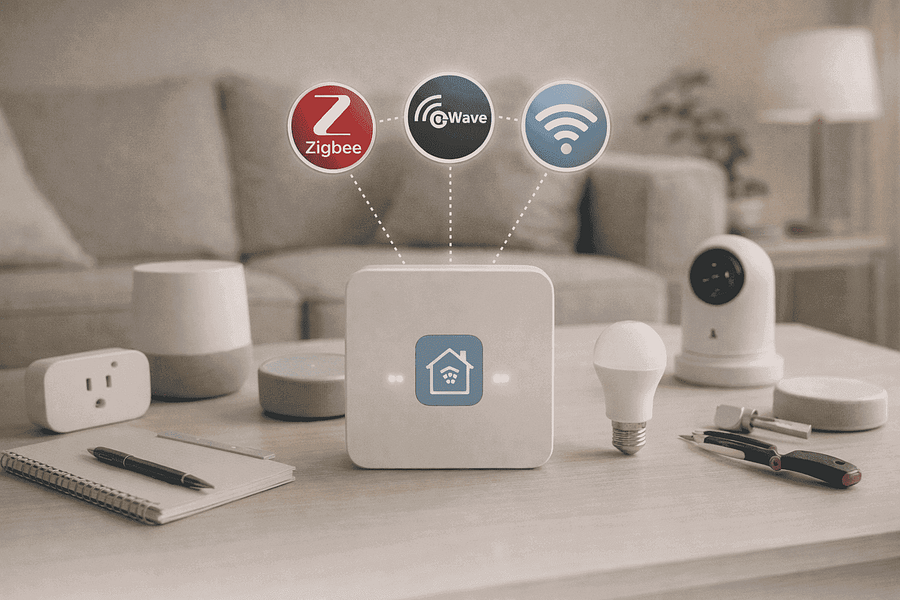
The modern smart home landscape is often a fragmented ecosystem where devices speak different languages. For many enthusiasts, the “Master Key to Compatibility” is the ability to bridge the gap between Zigbee, Z-Wave, and Wi-Fi protocols to create a unified, responsive environment. Understanding how to combine Zigbee, Z-Wave, and Wi-Fi into a single smart home system yourself is no longer a task reserved for engineers; with the right hardware and a strategic approach, any homeowner can eliminate “app fatigue” and achieve true local automation.
The Protocol Problem: Why Your Devices Don’t Talk
Before diving into the technical setup, it is vital to understand why these standards exist. Wi-Fi is ubiquitous and fast but power-hungry and prone to congesting your router. Zigbee and Z-Wave were designed specifically for low-power mesh networking, allowing sensors to run for years on a single battery while extending the range of the network through every powered device. The challenge of how to combine Zigbee, Z-Wave, and Wi-Fi into a single smart home system yourself lies in the fact that these protocols operate on different frequencies and use different communication languages.
Without a central translator, a Zigbee motion sensor cannot trigger a Wi-Fi light bulb without sending data to the cloud and back, introducing lag and potential failure points. By centralizing these into one local controller, you bypass the cloud entirely, ensuring that your home remains smart even when the internet goes offline.
Choosing Your Central Brain: Hubs vs. DIY Platforms
To successfully combine these protocols, you need a multi-protocol coordinator. There are two primary paths for homeowners: consumer-ready hubs and DIY software platforms. Both options provide the hardware necessary to bridge the frequency gap, but they differ in complexity and control.
- Universal Consumer Hubs: Devices like the Samsung SmartThings Station or Hubitat Elevation C-8 come with built-in radios for all three protocols. These are ideal for those who want a plug-and-play experience.
- DIY Software (Home Assistant): For the ultimate “Master Key,” installing Home Assistant on a Raspberry Pi or dedicated mini-PC is the professional choice. It allows you to use USB “dongles” as coordinators for each protocol.
- Matter and Thread: As of 2025, the new Matter standard is acting as a bridge, but most existing Zigbee and Z-Wave hardware still requires a dedicated hub to join the Matter ecosystem.
Step-by-Step Guide: Integrating the Protocols
Once you have selected your controller, the integration process follows a logical sequence. The goal is to create a “mesh” where every protocol is stable before layering automation on top of them. This is how to combine Zigbee, Z-Wave, and Wi-Fi into a single smart home system yourself effectively.
Phase 1: Setting Up the Mesh Foundations
Start by pairing your Z-Wave and Zigbee “repeater” devices—these are usually smart plugs or light switches that are permanently powered. This builds a strong physical mesh network throughout your home. In 2025, ensure your Z-Wave devices use the 800-series chip for maximum range and security.
Phase 2: Connecting Wi-Fi Devices via Local IP
For Wi-Fi devices, avoid using cloud-based integrations whenever possible. Look for devices that support “Local Polling” or “MQTT.” By giving these devices static IP addresses in your router, your central hub can communicate with them directly over your local network, matching the speed of your Zigbee sensors.
Optimizing for Reliability and Speed
A common mistake when learning how to combine Zigbee, Z-Wave, and Wi-Fi into a single smart home system yourself is ignoring frequency interference. Zigbee operates on the 2.4 GHz band, which is the same as standard Wi-Fi. To prevent “ghost triggers” or dropped connections, you must manually set your Wi-Fi to channels 1, 6, or 11, and keep your Zigbee network on channel 25.
Additionally, prioritize “local-first” automation. If a motion sensor (Zigbee) needs to turn on a hallway light (Wi-Fi), the logic should live inside your hub, not on a manufacturer’s server. This reduces latency from seconds to milliseconds, making the technology feel invisible and intuitive.
Frequently Asked Questions
Do I need a separate hub for every brand?
No. The point of using a universal controller like Home Assistant or Hubitat is to eliminate brand-specific hubs. One multi-protocol hub can replace your Philips Hue bridge, Aqara hub, and IKEA gateway.
Is Z-Wave better than Zigbee?
Z-Wave operates on a lower frequency (908 MHz in the US), which means it has less interference and better wall penetration. Zigbee is generally cheaper and has a larger variety of devices. A great system uses both.
Can I add Matter devices to this setup?
Yes. Most modern hubs act as Matter Controllers, allowing you to bring new Matter-over-Wi-Fi or Thread devices into the same interface as your older Z-Wave and Zigbee gear.
Is it difficult to maintain a DIY system?
While a DIY system like Home Assistant requires more initial setup, it is often more stable in the long run because it doesn’t rely on external servers that can be shut down by the manufacturer.
Conclusion: Achieving True Home Synergy
Combining multiple protocols into one cohesive unit is the ultimate milestone for any smart home enthusiast. By understanding the strengths of each standard and utilizing a central coordinator, you create a system that is greater than the sum of its parts. Learning how to combine Zigbee, Z-Wave, and Wi-Fi into a single smart home system yourself provides you with the freedom to buy the best hardware regardless of the logo on the box. As you expand your setup, remember that the “Master Key” is not just about the connection—it is about the seamless, invisible experience of a home that truly understands your needs.
📚 Wireless Protocol Standards & References
- Connectivity Standards Alliance (CSA):
Zigbee Protocol Specifications
(Technical overview of the low-power mesh network used by Philips Hue and Amazon Echo) - Z-Wave Alliance:
Z-Wave Technology Basics
(Explains why Z-Wave operates on a different frequency to avoid Wi-Fi interference) - Wi-Fi Alliance:
Wi-Fi 6 & IoT Connectivity
(Official standards on how modern Wi-Fi handles high-density smart home environments)
Disclaimer
This information is for educational and informational purposes only and does not constitute professional advice. Always consult with a qualified professional before making any decisions based on this content.
About the Expert
Alex Chen
Lead Technology Analyst & Smart Living Editor at FactaHub
Alex Chen leads the editorial direction and technical analysis for FactaHub’s Tech & Smart Living category. He is responsible for critically assessing new technologies and trends, ensuring that all published guides provide clear, unbiased, and actionable advice to readers seeking to integrate smart technology into their daily lives. Alex has nearly a decade of experience analyzing consumer electronics and developing user-centric solutions. Alex oversees a strict editorial process to maintain the credibility of FactaHub’s tech content, focusing on user safety, practicality, and longevity of tech products.
—